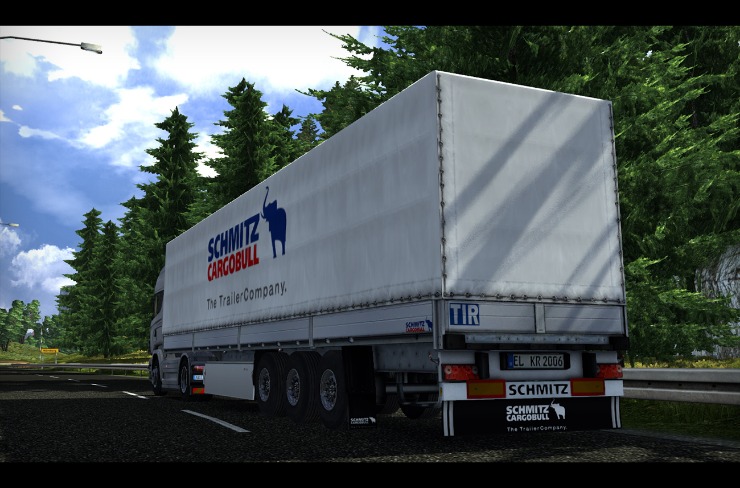

Overview of ETS2 Bus South Africa
ETS2 Bus South Africa is a mod for Euro Truck Simulator 2 that introduces South African buses into the game, expanding the driving world beyond the base trucks. It features authentic bus models, SA-inspired liveries, and routes that mirror real intercity travel, providing a fresh perspective on the game’s road networks. This mod aims to capture the pace, scenery, and challenges of bus travel in South Africa while staying true to the Euro Truck Simulator 2 gameplay experience.
Origins and Concept
ETS2 Bus South Africa is a modded extension for Euro Truck Simulator 2 that brings the bustling bus culture of South Africa into the game world, letting players drive passenger buses along urban and intercity routes across a South African-inspired landscape.
The idea originated from the passion of ETS2 modders who wanted to expand beyond haulage into urban public transport, drawing inspiration from South African cities, road networks, and bus operations. The project grew from community wishlists and collaborative design, combining available research, vehicle references, and community feedback.
The concept centers on authentic bus driving experiences, with attention to realistic handling, passenger dynamics, bus stops, timetables, and route planning. It aims to simulate public transport operating in a country with diverse terrain, from coastal highways to inland urban corridors, offering a distinct gameplay rhythm compared to freight runs.
Key features typically include a range of bus models representing different eras and sizes, detailed interiors for passenger comfort, functional bus stops and passenger loading systems, timetable and route management, dynamic weather and traffic affecting travel times, and flexible liveries that let players customize every bus to reflect South African branding.
The project often pairs with a dedicated South Africa map expansion that adds cities, landscapes, and landmarks, providing authentic scenery, road signs in local languages, and period-appropriate infrastructure that enhances immersion while remaining compatible with base ETS2 maps.
Players can pursue a bus driver career path, take passenger jobs, manage schedules, balance fuel and maintenance, and monetize a bus fleet. The mod encourages careful route planning, punctuality, and customer satisfaction, offering a different pacing from cargo hauling and expanding the game’s sandbox possibilities.
Ongoing updates from the community aim to refine physics, expand route networks, add new models, and improve compatibility with ETS2 patches. As a collaborative project, ETS2 Bus South Africa evolves with feedback from players and South African transport enthusiasts, keeping the experience fresh and culturally resonant.
For players who want to explore South Africa from the driver’s seat, ETS2 Bus South Africa offers an immersive, traffic-informed public transport experience that complements the game’s trucking roots while celebrating the region’s routes, scenery, and transport heritage.
Scope and Objectives
ETS2 Bus South Africa is a community-driven mod project for Euro Truck Simulator 2 that brings a dedicated South African bus experience into the game. It aims to faithfully recreate the look and feel of SA public transport by introducing authentic bus models, operator liveries, signage, and route networks that reflect real world corridors across major cities and intercity links. The mod emphasizes realism, accessibility for players, and compatibility with the base game and other map or content mods.
Scope includes adding a lineup of South African bus models and variants commonly seen on urban and intercity routes, high-quality exterior and interior textures, and operator liveries from major SA transit agencies. It also covers realistic bus stops, depots, taxi ranks, route numbers, timetables, and signage; integration with map expansions to reflect SA geography and urban layouts; support for AI traffic and passenger NPCs; and comprehensive documentation for installation and usage. The project prioritizes compatibility with the latest ETS2 versions, DLCs, and popular map mods.
Objectives are to deliver an authentic SA bus experience that expands ETS2’s geographic diversity, educate players about SA public transport culture, and provide ongoing updates with new bus models, routes, and features. It seeks to maintain high standards of performance and stability, provide clear licensing and credits, and foster a welcoming community that contributes models, textures, and translations while adhering to project guidelines.
By offering familiar liveries, signage, and route logic, the mod enhances immersion for players who enjoy sightseeing and roleplaying in the South African context. It supports new gameplay possibilities, such as timetable-based driving, depot management, and bus enthusiast communities.
Limitations include dependency on ETS2 base game mechanics, potential conflicts with other mods, and the need for ongoing updates as game versions evolve. Future work may add more operators, expand regional coverage, include more time-of-day variations, improve AI behavior, and introduce additional bus types and passenger interactions.
Overall, ETS2 Bus South Africa aims to deliver a credible and engaging representation of SA public transport within Euro Truck Simulator 2, balancing realism with accessible gameplay and ongoing community-driven development.
Geographic and Route Context
The Geographic and Route Context for an ETS2 bus in South Africa examines how the country’s diverse landscapes—coastal roads, highveld plains, and rugged mountains—shape route planning, scheduling, and travel experience in the game. Modded maps and real-world inspirations place hubs like Cape Town, Johannesburg, and Durban on a network of intercity corridors, requiring attention to terrain, road types, tolls, and signage to create believable, efficient bus journeys across virtual South African terrain.
South Africa in ETS2: Map Coverage
Geographic and Route Context: South Africa in ETS2 map coverage explores how an in-game European-dominated world could be extended to Southern Africa for bus operations. The base game focuses on Europe, so any South Africa content comes from community-made maps or mods. For ETS2 bus enthusiasts, this context considers how long-haul routes, city connections, and regional geography might translate into a South African map, with routes that reflect real-world corridors and terrain challenges.
- Official status and map coverage: ETS2 does not include South Africa in the base game; any SA content is provided by third-party maps or mods. These projects vary in completion, scale, and compatibility with game versions and other DLC.
- Geographic scope and road network: A plausible SA map would need to cover key corridors such as coastal and inland routes, major cities like Cape Town, Johannesburg, and Durban, and important cross-country links. Realistic topography would feature coastal plains, highveld regions, and mountain passes, with a mix of highways and rural roads.
- Bus routing and gameplay implications: Bus mods would emphasize passenger services, schedule-based routes, depots and terminals, and realistic turnaround times. Long-distance routes between cities would be common, with plausible rest stops, fueling opportunities, and varying traffic patterns.
- Modding landscape and compatibility: Running SA content in ETS2 typically requires a combination of map mods and bus-focused mods, with careful attention to version compatibility and potential conflicts with other mods or DLCs. A clean install or profile is often recommended.
- Practical tips for players: verify mod versions with your ETS2 build, follow installation instructions, back up saves, test routes in自由 driving before timed runs, and adjust graphics settings to balance map detail with performance on larger, non-official maps.
Key Cities and Bus Routes
The ets2 bus South Africa mod places intercity bus travel within a varied South African landscape, where coastal plains meet highveld plateaus and dramatic mountain passes.
Geographic and Route Context: The road network centers on national routes N1, N2 and N3, connecting the major urban hubs with long-distance corridors. Inland routes traverse the Highveld between Gauteng and the central plateau, while coastal routes run along the Atlantic and Indian Ocean shores. Hilly terrain, savanna and the Karoo desert climate create a mix of straight highways, winding passes and scenic overlooks.
Key Cities: Johannesburg and Pretoria anchor the northeast Highveld economic zone; Cape Town sits on the southern coast with the iconic Table Mountain behind it; Durban is a busy port city on the east coast; Port Elizabeth and East London lie along the Garden Route coastline; Bloemfontein serves as a central inland gateway; smaller hubs like Rustenburg, Pietermaritzburg and Nelspruit (Mbombela) link regional routes.
Bus Routes: The mod emphasizes a hub-and-spoke system centered on the big cities. Primary intercity routes include Johannesburg to Pretoria, Johannesburg to Cape Town via the N1, Cape Town to Port Elizabeth along the N2, Johannesburg to Bloemfontein via the N1, and Durban to Pietermaritzburg along the N3. Secondary routes connect Durban to Johannesburg via inland paths, and coastal arcs such as Cape Town to Knysna and Mossel Bay are included to expand scenic day trips.
Distance and Travel Time: Distances vary from hundreds to roughly 1,500 kilometers for longer city pairs. In-game timings are scaled to ETS2 pacing, with daytime driving and overnight layovers at major depots to reflect typical intercity bus operations.
Geographic Signature and Landmarks: The routes traverse Table Mountain’s silhouette, the Drakensberg foothills, the expansive Karoo plains, the Garden Route coastline and the urban skylines of Johannesburg, Cape Town and Durban, offering a mix of city lights and natural vistas.
Operational Considerations: Toll roads on the N1, N2 and N3 corridors, busy morning and evening traffic in city outskirts, and occasional coastal fog near Cape Town or summer thunderstorms inland. Bus stops occur at central depots, transport hubs and popular malls to reflect real-world intercity practice.
Through geographic and route design, the ets2 bus South Africa module invites players to plan longer trips, manage rest periods and enjoy the regional scenery while navigating a believable South African intercity bus network.
Bus Mod Details and Features
This Bus Mod Details and Features for ETS2 focuses on the South Africa bus mod, delivering authentic SA buses into Euro Truck Simulator 2. It features detailed exterior models with iconic SA liveries, richly detailed interiors, functional cockpits, and authentic bus sounds. The mod enhances gameplay with realistic door operations, passenger flow, route-specific stops, and improved AI behavior to mimic SA city traffic. It also includes configurable performance options and weather-friendly textures, giving players a believable South African bus experience on highway hauls and urban runs.
Included Bus Models and Variants
Bus Mod Details and Features for ETS2 South Africa Edition brings authentic South African buses into Euro Truck Simulator 2, recreating the look, sound, and feel of city and intercity transit across SA corridors. The mod focuses on realistic exterior shapes, detailed interiors, region-specific signage, and liveries inspired by real operators, aimed at delivering an immersive SA bus experience alongside the standard ETS2 traffic.
Key features include high-detail 3D models with accurate proportions, PBR textures, 4K textures on exterior and interior, working doors, animated mirrors, functional dash and driver cockpit instruments, and configurable lighting for day and night driving. The vehicles are tuned for smooth handling on typical South African road surfaces in the game, with realistic acceleration and braking characteristics for a believable ride.
Sound and ambience are tailored to SA bus operations, including engine notes suitable for diesel and hybrid variants, transmission behavior that matches common SA buses, authentic horn patterns, doors and climate sounds, and ambient traffic audio to fit Cape Town, Jo’burg, and Durban cityscapes. The mod also supports optional external sirens for emergency vehicles in AI traffic if you enable it in settings.
Included Bus Models and Variants: City Bus offers standard 12-meter configurations as well as shorter 10-meter variants for tighter streets, plus a hybrid-electric version for a greener flavor. Intercity Coach models come in 12-meter commuter and 14-meter long-distance variants with different seating layouts. The Articulated Bus family includes 18-meter double-axle and 24-meter single-articulation variants for high-capacity routes.
Liveries and regional accuracy: The pack ships with multiple South African-inspired liveries, including Cape Town metropolitan schemes, Johannesburg-style fleet colors, Durban coastal routes, and a generic national palette to match different municipalities. Each livery uses properly styled route signage and bus stop boards to resemble real-world signage you would see on SA roads within ETS2.
Installation and compatibility: Works with the base game plus common SA route frameworks; designed for ETS2 version 1.x with the latest patch. To install, place the mod file in your ETS2 mod folder, enable it in the mod manager, and load in the latest map expansion you use. For best performance, pair with traffic mods and SA road assets that enhance realism while keeping performance stable.
Performance, Handling, and Drivetrain
The South Africa themed Bus Mod for ETS2 delivers a detailed coach experience across SA highways, featuring authentic textures, interiors, and road dynamics tailored to the region. The following sections cover the Bus Mod Details and Features, Performance, Handling, and Drivetrain.
-
Details and Features
- Fully modeled exterior with South Africa inspired liveries and decals inspired by local operators.
- Rich interior with a driver cockpit, passenger cabin, and functional doors and steps.
- Animated elements such as wipers, mirrors, anti-ice indicators, and interior lighting for day and night driving.
- Authentic instrument cluster, climate controls, and signage that mirror SA roadways.
- Custom sound pack including turbo, exhaust, air suspension, door chimes, and HVAC nuances.
- Passenger seating layouts and luggage areas tuned for plausible bus capacity and weight.
- Dynamic weather compatibility and lighting to reflect South African climate conditions.
- Route presets and AI traffic that resemble major SA corridors (Cape Town, Johannesburg, Durban) with toll plazas and signage.
- Support for ProMods style maps to ensure cohesive integration with SA road networks.
-
Performance
- Engine options ranging from efficient city-bus tunes to higher-output variants (roughly 260–420 hp) for long-haul legs.
- Torque delivery designed for heavy loads, with peak torque typically in the mid-range to support steep SA climbs.
- Top speed generally in the 90–120 km/h band, influenced by load, gearing, and variant configuration.
- Balanced acceleration profiles to provide comfortable 0–100 km/h times suitable for passenger service and freight staging when configured.
- Realistic fuel consumption and tank sizes to mirror typical SA bus operations and ranges between refueling stops.
- Payload and passenger capacity tuned to plausible configurations (roughly 40–60 passengers depending on layout).
-
Handling
- Suspension tuning to deliver a smoother ride on pothole‑studded SA roads while maintaining stability at highway speeds.
- Steering feedback calibrated for larger coaches, with predictable responses during lane changes and in windy conditions.
- Weight distribution and chassis stiffness adjusted to handle long wheelbases and multiple axles common on South African coaches.
- Braking behavior designed for safe stopping under load, with ABS and retarder interaction modeled for realistic stops.
- High-speed cornering feel that remains stable through sweeping highway curves and urban arterial bends.
- Wind and road surface effects that influence aerodynamics and handling, especially on open routes.
-
Drivetrain
- Multiple drivetrain configurations, including rear‑engine layouts with RWD drive, and chassis options like 4×2 or 6×2 where applicable.
- Transmission choices span manual and automatic/AMT styles, with gear ratios tuned for both city legs and long highway runs.
- Clutch and torque converter behavior modeled to reflect driver feel and shifting smoothness under load.
- Differential and axle options that impact traction, especially on grades and during braking on wet or uneven surfaces.
- Fuel system, exhaust routing, and thermal management aligned with realistic bus design and SA operating conditions.
- Engine and gearbox integration designed to work with SA signage, speed limits, and toll road dynamics.
Cabin Design and Interior Comfort
The ETS2 Bus South Africa mod brings a dedicated bus experience to Euro Truck Simulator 2, designed to run on South African routes and reflect local driving culture. It introduces a capable intercity coach that fits seamlessly with SA map mods and city networks, offering both visual authenticity and refined driving feel.
Bus Mod Details and Features: The model features a high-detail exterior with authentic signage, liveries inspired by South African bus operators, and functional lighting systems. Under the hood there are multiple engine and transmission options, tuned for highway speed and comfortable long-haul performance. The bus supports different wheelbases and configurations, plus realistic suspension and braking settings that balance stability with responsive handling. Visuals include weathering, reflective surfaces, and dynamic mirror animations for a believable roadside presence.
Cabin Design: The driver cockpit is modeled to capture the ergonomics of a modern SA intercity coach, with a wide, accessible dashboard, a multi-function steering wheel, and a clear instrument cluster. The cabin layout prioritizes visibility, featuring a large windscreen, an adjustable driver seat, and intuitive placement of switches, climate controls, and infotainment. The passenger area presents a practical seating arrangement with durable materials and believable spacing, all designed to enhance immersion without compromising in-game usability.
Interior Comfort: Comfort is a main focus, with plush seats that offer good lumbar support for long trips, climate control capable of cooling in hot SA conditions, and effective noise reduction in the cabin. Materials include breathable fabrics, soft-touch panels, and thoughtfully placed ambient LED lighting that can be adjusted for day or night driving. Optional features like an enhanced audio system and passenger information displays add to the experience, along with ample legroom, overhead storage, and a smooth ride thanks to tuned suspension and damping.
South Africa-specific immersion: The mod supports right-hand drive placement and signage, with interior prompts and route displays available in English and Afrikaans to reflect local usage. HVAC and insulation are optimized for high temperatures, and the cockpit layout mirrors operator practices while preserving the familiar ETS2 controls. The result is a bus that feels authentic to South African roads while maintaining the gameplay balance and compatibility expected in Euro Truck Simulator 2.
Scenarios and Gameplay with South Africa Routes
Step into the ETS2 bus South Africa experience, where scenarios and gameplay unfold across a vivid network of routes from Cape Town’s coast to Gauteng’s urban hubs. Take on timed bus missions, passenger pickups, and realistic schedules as you navigate coastal highways, scenic mountain passes, and bustling city streets. South Africa routes bring cultural flavor, varied terrain, and dynamic traffic that challenge your planning, driving accuracy, and passenger service skills.
Delivery Jobs and Scheduling
This article explores Scenarios and Gameplay with South Africa Routes, Delivery Jobs and Scheduling in the ETS2 bus mod scene. It covers how to plan routes, manage deliveries, and schedule trips across iconic SA corridors for an immersive bus experience.
- South Africa Routes for ETS2 Bus Mods: Cape Town to Johannesburg (N1 through the Western Cape highlands), Cape Town to Port Elizabeth (N2 along the Garden Route), Durban to Johannesburg (N3 and N2 corridors), and coastal or circular loops that explore the Western Cape coast and KwaZulu-Natal scenery. These routes mix long highway stretches with mountain passes and tolls for varied pacing and challenge.
- Passenger Services and Charter Scenarios: run daily shuttle services between major cities, university and campus routes, weekend tourism charters along the Garden Route, and night tours through city centers. Plan passenger demand, pickup times, school trip bookings, and special events to shape your schedule.
- Delivery Jobs and Depot Logistics: delivery missions can simulate spare parts, fuel, maintenance equipment, and depot transfers between service hubs. Manage loading weight, timing windows, and rest periods to keep depots stocked and crews ready for the next shift.
- Scheduling and Timetables: balance driving hours, mandated breaks, and layovers to meet service commitments. Build realistic timetables that reflect peak morning and late afternoon demand, adjust for traffic, weather, and road works on SA routes, and coordinate with other drivers or AI partners if available.
- Mods, Compatibility and Setup: use a South Africa map mod to unlock SA routes, pair it with a bus pack and an AI traffic mod for bus-specific behavior. Ensure compatibility with your ETS2 version and other map expansions like ProMods. Check patch notes and load order to avoid conflicts.
- Gameplay Tips for Realism: time runs to match real-world SA traffic rhythms, toggle traffic density for different scenarios, scout rest stops at service areas, and apply authentic liveries representing local operators. Manage fuel, tires, and weather effects to minimize delays during long hauls.
- Sample Missions and Challenges:
- Coastal Sunrise Route: Cape Town to Port Elizabeth along the Garden Route, roughly 480–520 km, depart at dawn to reach mid-morning with a short layover.
- Garden Route City Shuttle: Cape Town to Knysna to George as a loop, with fluctuating passenger demand and scenic detours.
- Johannesburg Depots Transfer: short-haul inter-depot delivery of spare parts, balancing pickups and a strict delivery window.
Weather, Terrain, and Time of Day
Scenarios and Gameplay with a South Africa focused ETS2 bus experience blends iconic routes, diverse weather, challenging terrain, and shifting times of day to create immersive intercity and sightseeing missions.
South Africa Routes in this context center on major corridors and coastal stretches that a passenger bus would traverse in real life. Expect runs between Johannesburg and Cape Town via the N1 and N3 corridors, a Durban to Bloemfontein leg across the Highveld, and longer coastal tours along the N2 between Cape Town and Port Elizabeth. Scenic detours along the Garden Route provide picturesque pauses near towns like Mossel Bay and Knysna, while highland passes and provincial roads offer mountain passes that test handling and braking on the bus model. The route variety rewards patience and timing, as you balance passenger comfort with on-time arrivals and realistic rest stops.
Weather in the South Africa routes adds a dynamic layer to gameplay. Clear, hot days challenge endurance and fuel planning; sudden rainstorms reduce visibility and tire grip, especially on mountain grades. Cape weather brings coastal fog that can roll in overnight and linger in the mornings, complicating early departures. Sand and dust storms in arid sections impact air quality and engine cooling, while thunderstorms in the interior can cause lightning delays and localized wind gusts. Seasonal patterns influence passenger demand, with peak travel around holidays and sunny weekends driving busier timetables.
Terrain across the South Africa routes is as varied as the landscapes themselves. Urban environments in Johannesburg and Durban feature tight turns and heavy traffic, testing cornering and lane discipline for a bus. Plateaus and escarpments around the Highveld introduce long climbs and steep descents, requiring careful gear selection and throttle control. The Karoo presents semi-desert plains that punish overheating and demand efficient climate control for passenger comfort. Coastal mountains near the Garden Route bring windy sections and dramatic ascents, while the forested pass routes offer scenic beauty with challenging braking zones and sharper bends.
Time of Day dramatically reshapes the driving experience. Dawn and early morning shifts let you catch sunrise over the plains, with cooler temperatures and a calm traffic flow. Midday brings bright sun and longer routes, increasing heat load and fatigue management for both the bus and crew. Sunset turns highways into a picturesque drive but reduces visibility as the sky darkens, requiring lights and cautious pacing. Night driving adds a tactical layer: reduced visibility, the need for proper headlight use, and enhanced attention to roadside activity and toll plazas, all while maintaining passenger comfort and punctuality.
Gameplay mechanics center on believable bus operations within these South Africa routes. You manage schedules, fuel, maintenance, and rest stops to prevent delays. Passenger demand fluctuates with time of day and weather, rewarding efficient routing and on-time arrivals. Handling a bus differs from a standard truck: longer stopping distances, wider turning radii, and careful gear changes on climbs. Realistic fatigue, the need for driver breaks, and a balanced pace between speed and safety shape every trip. Tolls, roadworks, and weather-related slowdowns add strategic depth to route planning and time management.
Scenarios to explore include urban shuttle runs in Johannesburg with tight timetables and frequent stops, scenic coastal tours from Cape Town along the Garden Route at dawn, mountain passes through the Drakensberg region during late afternoon, and desert routes across the Karoo under the heat of midday. Overnight routes into smaller towns test your ability to maintain comfort, keep noise levels down, and manage recharging stops for buses equipped with sleeper cab features. Seasonal events, festival crowds, and holiday surges provide high-demand challenges that reward precise planning and passenger service quality.
Tips for optimizing your South Africa ETS2 bus experience: customize your bus for comfort and efficiency with appropriate suspension tuning for mountain grades, choose tires that balance grip and wear, and plan refueling and maintenance stops around your longest legs. Use weather mod presets to simulate Cape Cod-like fog or desert dust for added realism. When possible, select routes with compelling scenery and reliable rest stops to maximize passenger satisfaction and earned tips. Embrace early departures to beat traffic, and adjust your schedule to take advantage of golden hour lighting for more dramatic and immersive drives.
Traffic AI and Bus Stops in SA Maps
Scenarios and Gameplay with South Africa Routes, Traffic AI and Bus Stops in SA Maps bring a fresh layer of immersion to ETS2, letting players experience driving, scheduling and passenger service in a region inspired by real SA routes and towns.
Scenarios span coastal scenic runs, urban shuttle duties, and long-haul corridor work. Picture a coastal Garden Route charter from Cape Town to Port Elizabeth with stops at scenic towns, a daytime urban shuttle weaving through Johannesburg’s northern suburbs, or a night-time freight-to-passenger transfer along the N1 corridor with short, timed bus-stop pickups to simulate a busy timetable. Each scenario challenges route planning, fuel, rest breaks and passenger dwell times while keeping the feel of South African roads.
Gameplay in this setting leans on balancing timetables, road conditions and traffic interactions. Traffic AI can be tuned to SA realities, featuring heavier truck presence on major highways, variable adherence to speed limits, and more frequent pedestrian activity near towns. If your map uses left-hand driving to mirror South Africa, enable the matching Traffic AI variant so vehicles enter and exit lanes correctly, respects local signage, and interacts realistically with bus stops and bus lanes.
South Africa routes on SA maps are built around key arteries like long coastal connectors and inland expressways. Players will encounter N-class highways, R routes and town-to-town spurs that require careful lane choice, overtaking discipline on two-lane stretches, and respect for local bus-stop networks. Planning a route often means mapping multiple bus stops in sequence so the player-driven or AI-driven passenger service mirrors a real-world timetable, while still allowing cargo or passenger missions depending on the chosen mod setup.
Bus stops in SA maps are more than markers; they act as micro-destinations where boarding, alighting and dwell times matter. Well-designed stops align with towns, service centers, and tourist hotspots, creating a rhythm of pickup windows and idle time between runs. Some setups include dynamic passenger generation, so a busy stop at a coastal town feeds a steady stream of boarding requests, while rural stops may see sporadic activity that rewards patient routing and precise timing.
To maximize the experience, pair a bus-focused mod with a South Africa map pack that includes realistic stop placement, timetabled routes and authentic signage. Use weather and lighting variations to test scheduling under different visibility, and experiment with different bus models to capture everything from city shuttles to intercity coaches. The result is a diversified ETS2 bus South Africa experience that emphasizes route realism, intelligent traffic interactions and engaging bus-stop dynamics across SA-inspired landscapes.
Compatibility and Modding
Compatibility and modding are the lifeblood of creating a convincing South Africa bus experience in Euro Truck Simulator 2. Modders tailor bus models, sounds, and physics to fit the base game’s standards, while map add-ons and South Africa–themed assets integrate seamlessly with existing routes. Players look for mods that are compatible with their game version, DLCs, and other mods, balancing performance and stability with authentic visuals as they traverse routes inspired by real South African landscapes.
Base Game Version Compatibility
Compatibility and Modding in ETS2: Understanding Base Game Version Compatibility for the ETS2 Bus South Africa mod.
Mods for ETS2, including a community bus mod focused on South Africa, are built against a specific game version. Base game version compatibility describes whether a mod will load and function with the exact patch level of ETS2 you are running, and it determines how smoothly features like a South Africa bus appear in your world.
Mods for ETS2 are created for particular game versions because patch notes can change vehicle definitions, map data, and scripting. If your game is newer than the mod, it might still work, but there are no guarantees; if your game is older or the patch is substantial, the mod may fail to load or cause instability. Always check the mod page for the exact game version it was built for and the required patch level.
Before installing a South Africa bus mod, confirm the required base game version, any DLCs or map expansions it depends on, and the mod’s load order notes. Verify your Steam or other launcher shows the same patch level and avoid beta versions unless the mod explicitly supports them. Use the mod description, changelog, and user comments to gather this information and plan compatibility accordingly.
Practical compatibility steps include backing up your profile, using a separate test profile for new mods, and enabling only this mod at first to verify it loads. Use the in-game Mod Manager or a trusted launcher to set the load order, and avoid overlapping files from other bus or map mods that could conflict. If the mod requires other add-ons (like a bus asset pack or a specific map expansion), install those first and then the main mod.
With a South Africa bus mod, the risk of conflicts often comes from map edits or textures that touch shared game assets. If you encounter issues such as missing buses, missing textures, or CTDs, try disabling other mods, verify the mod’s files, and check for newer versions from the author. Community patches or compatibility fixes may exist, but they are not guaranteed to match every other mod you have installed.
Best practices for long‑term compatibility include staying on a stable game version with reliable mod support, keeping mods updated, using a clean profile to test, and engaging with mod authors or communities to report issues and obtain recommendations. In the ETS2 bus South Africa scene, compatibility is an ongoing process: new game patches require updated mod files, and well-documented mod pages with version numbers help you stay in sync.
Required DLCs, Maps, and Dependencies
Compatibility and Modding specifics: verify the bus mod is designed for your exact game version, decide if it replaces a stock vehicle or adds a new one, and adjust the mod manager or profile load order accordingly. Test in a clean profile to isolate issues and gradually reintroduce other mods to pinpoint conflicts.
Required DLCs: in Euro Truck Simulator 2, many mods list base game requirements rather than specific DLCs. For a South Africa–themed bus mod, you may not need official DLCs, but some map or feature dependencies could reference particular expansions or community map packs. Always check the mod page for precise DLC and version requirements and ensure your game version matches the mod’s target version.
Maps: if the bus is meant to operate on a South Africa map or on a European base map with a South Africa addon, install the map mod first and the bus mod second, following the developer’s recommended load order. Some map mods require compatibility patches or additional packs; install those as directed. Conflicts between multiple map mods can cause gaps or spawn issues, so disable conflicting regions and adjust order to maintain stability in the SA area.
Dependencies: many bus mods rely on extra assets such as model packs, textures, sound packs, or definition files from other mods. Typical dependencies include vehicle or asset packs, map compatibility files, and occasionally performance or graphic packs. Download and place every dependency in the correct folder, and respect the mod author’s guidance on version and order to avoid missing textures or broken models.
Getting it to work: after installing, enable the mod in your profile, preferably starting from a clean slate. If the bus doesn’t spawn or behaves oddly, consult the log files for missing dependencies or version mismatches, and verify the map region you expect is loaded. For a South Africa setup, double‑check the map’s region settings so the bus spawns in the intended SA location rather than a disconnected area.
Tips: back up your profile and mod files, use versioned downloads, and read update notes and community comments for compatibility notes. With careful management of load order, DLC requirements, and map dependencies, a South Africa–themed ETS2 bus mod can run smoothly across your chosen map and mod suite.
Installation, Updates, and Conflict Resolution
ETS2 Bus South Africa is a community mod that brings South African buses into Euro Truck Simulator 2. To get the most from these mods, you must consider compatibility, proper installation, ongoing updates, and how to resolve conflicts with other mods and game files. This guide covers each of these areas in practical terms so players can customize their driving experience with minimal headaches.
Compatibility and Modding: Mod developers usually target a specific game version and engine build. Check the mod description for the required ETS2 version, DLCs, and required assets (like sound packs or 3D models). South Africa bus mods often depend on additional map expansions or traffic packs; ensure you have the right version of the game and any required DLCs. If you run multiple mods, keep in mind a mod’s priority in the Profile Mod Manager; bus mods that replace core files may conflict with other vehicle or map mods. It’s safer to use a clean profile when testing new bus mods and to keep backups of your profile and mod folders.
Installation: Start by backing up your current ETS2 profile and mod folder. Download the bus mod package from a trusted source, then extract its contents into your Euro Truck Simulator 2/mod directory. In your game, open the Mod Manager, enable the bus mod, and place it high enough in the load order to avoid being overridden by other vehicle or map mods. If the mod includes optional files such as textures or sounds, install them as directed and ensure any dependencies (like a specific sound pack) are also enabled. Always re-check in-game after installation with a quick drive in a free roam to verify visuals and physics work as expected.
Updates: Mod updates commonly fix bugs, add features, or adjust to game patches. When a bus mod updates, read the update notes to see if you need to remove the old files or re-activate the mod in the Mod Manager. After updating, re-check for any changed file names or dependencies and test in a short session to confirm there are no crashes or missing textures. If you rely on other mods, consider updating them as well to maintain compatibility and avoid cascading conflicts.
Conflict Resolution: If you encounter crashes, missing models, or texture glitches, conflicts are the likely cause. Common culprits include file name overlaps, identical replace files from different mods, or changes to company logos and textures. Disable all nonessential mods to reproduce the problem, then enable them one by one to identify the offender. Use the conflict-free load order recommended by the mod creator, or rearrange in the Mod Manager so that the bus mod is loaded after any other vehicle or map mods that it should override. For persistent problems, verify game files, clear the cache, and ensure you are not using an incompatible map or terrain mod that overwrites essential assets.
Best practices: Keep a dedicated testing profile for mod experimentation, maintain a clear folder structure with documented mod versions, and subscribe to mod creators’ updates. Avoid mixing beta game builds with stable mods. When possible, download from reputable sources and scan files for integrity. Document any changes you make to your load order so you can reproduce a working setup later. Regularly back up saved games to prevent data loss if a mod causes crashes.
Conclusion: By paying attention to compatibility, careful installation, timely updates, and proactive conflict resolution, you can enjoy a feature-rich ETS2 Bus South Africa experience without sacrificing stability. Happy driving through virtual South Africa in your customized bus fleet.
Visuals and Sound Design
Visuals and sound design are the heartbeat of the ETS2 Bus South Africa experience. Vivid textures, dynamic lighting, and authentic weather effects bring South Africa’s highways to life, while cabin ambience, engine roars, horn blares, and passenger chatter create a convincing in-bus and on-road atmosphere. The collaboration of high-fidelity skins, realistic reflections, and environmental audio transports players from sunlit coastal routes to rugged inland passes, making every journey feel unique.
Exterior Textures, Lighting, and Reflections
Visuals and Sound Design shape how a South Africa themed ETS2 bus feels on the road, turning long hauls into a sensory journey. A well crafted model uses high detail textures and accurate cues from real African road travel, while the soundscape blends engine roars, turbo whistles, and crisp route announcements to place you firmly in the cockpit of a city-to-coast coach or a rural hop between towns. The balance between visuals and audio creates immersion, with responsive engine notes and wind noise that rise with speed, and cabin acoustics that reflect the space you’re occupying inside the bus.
Visuals and Sound Design for the ETS2 bus in a South Africa context emphasize both exterior charm and interior atmosphere. The exterior presents a bold, authentic silhouette with clean lines and characteristic coach shapes, while the interior showcases seats, dashboards, and control textures that feel tactile and durable. The sound design complements these visuals by providing a varied sonic palette: the growl of the diesel engine under load, the hiss of air intake, the squeal of tires on gravel, and the crisp beep of door electrodes. Ambient sounds—city chatter, distant trains, and highway wind—complete the scene, helping the bus inhabit the diverse landscapes of South Africa from coastal highways to inland routes.
Exterior Textures play a crucial role in selling the South African vibe, using lifelike paint, decals, and weathering that tell a story of daily service. Lively liveries inspired by regional operators adorn the bus with bold colors and numbers, while wear and tear, scratches, and dirt add realism from dusty highways and sunlit lanes. Normal maps and specular textures give metallic trims, chrome details, and glass a believable depth, so reflections react to light just as they do on real buses. Tints on windows, grime along wheel wells, and subtle scuffing on the bumper all contribute to a lived-in look that remains visually cohesive across diverse environments—from sunlit city streets to misty coastal roads.
Lighting is essential to mapping the drama of South Africa’s roads, with a dynamic day-night cycle that tests the bus’s visibility and mood. Daylight brings strong, directional sunlight that highlights bright paintwork and chrome edges, while dawn and dusk scenes create long shadows and warm, golden tones on a coastal backdrop. Night lighting emphasizes the effectiveness of headlamps, fog lamps, and indicator clusters, along with cabin illumination that guides the driver without overpowering interior detail. The interplay between exterior lighting and reflective surfaces helps the bus feel anchored in a real-world network of roads, streetlights, and emergency lighting typical of South African city centers and rural highways.
Reflections bring the environment into the bus experience, with window panes and polished trims mirroring the landscapes you pass through. Real-time reflections respond to weather, time of day, and road conditions, showing rolling hills, distant towns, and nearby traffic in the glass. Wet road surfaces produce believable glossy reflections and light ripples, while dry conditions reveal crisper reflections and sharper highlights on chrome details. The combination of accurate reflections on exterior surfaces and subtle interior reflections on windshields and glossy dashboards enhances depth and realism, making every pass through a South African route feel visually coherent and alive.
Engine Sounds, Horns, and Passenger Audio
The ETS2 bus South Africa mod blends vibrant visuals with authentic soundscapes to transport players along SA-inspired routes. This article covers Visuals and Sound Design, Engine Sounds, Horns, and Passenger Audio as experienced in the ETS2 bus South Africa experience.
-
Visuals and Sound Design
The bus model showcases bright SA-inspired liveries, detailed exterior textures, and signage that evoke real-world South African operators. Lively colors, weathered paint, dust on the lower panels, and accurate wheel arches help sell the SA feel. Interior visuals emphasize durable seating, grab rails, and authentic driver dashboards. Lighting shifts with time of day, from warm Cape Town sunsets to neon-lit city nights, while road textures blend with SA terrain—urban streets, open highways, and rural byways. Sound design is anchored to the visuals, with reverb and cabin attenuation matching interior and exterior scenes, wind noise at speed, tire hiss on different surfaces, and distant city or countryside ambience that changes with location and weather.
-
Engine Sounds
Engine audio for the ETS2 bus South Africa mod aims to reflect diesel buses common in SA fleets. Expect a robust idle hum, fuel-injected rattle, and a clear turbo signature during acceleration. The engine tone shifts with throttle input, load, and gear position, with phased layering for intake whoosh, exhaust crackle, and intercooler whistle when climbing hills or overtaking. Transmission cadence mirrors multi-gear buses, so shifts are audible as RPM rises and falls, and engine sound responds to fuel type, altitude, and weight loaded during passenger pickup and deliveries.
-
Horns
The horn package includes both standard city horns and amplified alert horns suitable for SA urban environments. You’ll hear multi-tone beeps, longer blasts for critical warnings, and distinct patterns that help convey congestion and road etiquette. Horns are tuned to carry clearly through city canyons and open highways, with a crisp, authoritative feel that suits South African driving scenarios. Optional horn variations give players choices to fit different operator aesthetics or personal preference while navigating busy bus corridors.
-
Passenger Audio
Passenger ambience channels lively activity inside and around the bus. Expect chatter in English and Afrikaans, occasional announcements, door mechanisms, and boarding sounds that reflect South African bus culture. Whispered conversations, footsteps, and seat rustle create a believable cabin atmosphere, while stop announcements, route cues, and platform chatter help situate the bus on SA routes. Spatial audio cues differentiate front and rear seating, and crowd noise rises when the doors open at busy terminals to enhance immersion.
Community and Resources
Community and resources for ETS2 Bus South Africa unite players, creators, and enthusiasts who are building and sharing South African bus content for Euro Truck Simulator 2. You’ll find forums, Discord channels, mod repositories, paint jobs, tutorials, and collaborative projects that help newcomers install mods, troubleshoot issues, and connect with others to plan routes, events, and liveries that reflect South Africa’s unique scenery and transport culture.
Popular Modding Communities and Repositories
Community and Resources for ETS2 Bus South Africa explore where to find SA-themed buses, how modders collaborate, and what repositories host realistic liveries and models to bring South African roads to Euro Truck Simulator 2.
Popular modding communities include Steam Workshop as the primary hub for ETS2 mods where players publish SA bus mods, skins, and sound packs that you can subscribe to and automatically update.
World of Trucks and ets2world.com are valuable repositories for sharing maps, buses, and add‑ons that focus on regional content; you can download South Africa inspired bus skins, route ideas, and country‑specific packages from these sites.
Nexus Mods and ModDB also host a range of ETS2 mods, including bus models and liveries created by the community; these sites are good backups if a mod is missing from Steam Workshop or World of Trucks.
Community forums, Discord servers, and social media groups offer real‑time help, previews, and feedback from fellow SA modders and players; these spaces are ideal for discovering new bus mods and getting installation tips.
YouTube channels and tutorial pages provide step‑by‑step guides on how to install buses, convert models for ETS2, create liveries, and adjust parameters for South Africa specific roads and traffic rules.
Tools often used by modders include 3D modeling software like Blender, image editors such as GIMP or Photoshop, and the official SCS Blender Tools; learning basic texturing and file packaging helps in creating compatible addons.
When exploring SA bus mods, check version compatibility with your ETS2 build, read user reviews, and verify license terms to ensure the mod can be shared or modified; always back up your game data before installing new content.
Contributing to the community means crediting authors, sharing you own SA bus work responsibly, and participating in constructive discussions; even small contributions like liveries or sound tweaks help grow the scene.
By engaging with these communities and repositories, players can enjoy more authentic South African bus experiences in ETS2, from liveries that evoke familiar operators to routes that hint at real SA corridors, while supporting a vibrant modding ecosystem.
Support Channels and Troubleshooting
Community and Resources for ETS2 bus enthusiasts in South Africa bring players together to share mods, routes, skins, and knowledge for Euro Truck Simulator 2 set in a South African context.
Community and Resources: You can connect with other players through South Africa focused groups on Facebook, dedicated Discord servers, and threads on Reddit where members share bus packs, liveries, and route expansions that suit the South African terrain and traffic.
Resources: The Steam Workshop hosts many bus mods and South Africa themed content; you can also explore community sites for compatible skins, sound packs, and new buses. Always verify version compatibility with your current ETS2 build and back up your profile before installing new content.
Support Channels and Troubleshooting: For official support, consult SCS Software’s support portal and knowledge base. For community help, join the relevant Discord servers and Reddit communities, where players and mod creators answer questions, share troubleshooting steps, and provide download links. When reporting issues, include your game version, mod list, and a clear description of the problem.
Troubleshooting: Common problems include mod conflicts, missing dependencies, or ETS2 failing to start after installing a new bus mod. Practical steps are to verify game files, disable all mods and re-enable them in small groups, check for updates to the mod and game, examine the game.log.txt for error messages located in Documents/Euro Truck Simulator 2, and consult the community threads for known fixes. If issues persist, capture screenshots of error messages and share them with the support channels above.
Staying organized: Keep a separate mod profile for South Africa content, maintain a manifest of mods and their versions, and regularly back up save games and profiles to avoid data loss after patches.
Community etiquette: Respect the work of mod creators, credit sources when sharing content, and follow the rules of each group or server to keep discussions constructive and friendly.
Performance and Optimization
Performance and optimization in Euro Truck Simulator 2, with a focus on a South Africa bus mod, centers on delivering smooth frame rates and crisp visuals across varied terrain—from coastal highways to inland deserts. By balancing graphics settings, mod load order, and engine tuning, players can preserve driving immersion while reducing stutter and long load times. Practical steps include dialing back shadows and reflections, adjusting draw distance for roads and vehicles, optimizing texture streams, and organizing mods to avoid conflicts that degrade performance.
Hardware Recommendations for Large South African Maps
Performance and optimization for large South African maps in ETS2, including the ETS2 Bus South Africa project, hinges on how you balance asset streaming, CPU and GPU workload, and the way the game loads new scenery as you drive between coastal cities and inland terrains.
Hardware foundations matter most. A modern multi-core CPU (6 cores or more) keeps the game responsive as the map streams new tiles. At least 16 GB of system RAM is recommended for large, texture-heavy maps, while 32 GB helps when you run multiple mods or high-resolution texture packs. A GPU with ample VRAM (6 GB or more) helps maintain stable frames at common resolutions; 8-12 GB VRAM is preferable for 1440p or higher. An SSD or NVMe SSD speeds up loading and texture streaming, reducing stutter when the bus routes cross the map. Finally, use a 64-bit OS and keep drivers up to date for best compatibility with large map data.
In-game settings can dramatically affect performance without sacrificing too much visual quality. Start with a stable frame rate cap (for example 60 FPS on a standard monitor) and enable vsync if tearing is an issue. Use moderate texture detail and adjust draw distance and shadow quality to reduce VRAM pressure. Reducing reflections, disabling dynamic lights in distant areas, and turning off heavy post-processing can significantly cut stutter on large South African maps. If available, experiment with anti-aliasing options to balance clarity and performance.
Streaming and cache management is critical on huge maps. Enable a generous streaming cache and adjust its size according to RAM. For 16 GB of RAM, set the streaming cache to around 8–12 GB; with 32 GB, 16–28 GB is reasonable. Keeping the cache on an SSD helps keep asset loading smooth. Also consider loading only essential mods for a cleaner streaming workload and avoiding texture packs that dramatically increase memory usage.
Mod organization and map-specific considerations help maintain smooth play. Disable or temporarily remove nonessential mods when testing performance on the ETS2 Bus South Africa map, and ensure compatibility between the map and base game or other mods. When using high-resolution texture packs, balance their size with your available VRAM and streaming cache. Keeping a clean mod load order and periodically validating that all components are up to date reduces stutter and crashes.
Storage layout and system maintenance also matter. Install the game on an SSD or NVMe drive to improve loading times, and keep ample free space for the streaming cache. Regularly update drivers and run system checks to prevent background processes from spiking CPU or disk usage during play. If stuttering persists, monitor temperatures and throttling to confirm you’re not hitting thermal limits while the bus South Africa map loads busy areas.
Bottom line: for large South African maps in ETS2 Bus South Africa, aim for a balanced system with enough RAM, a capable GPU, plus SSD storage, and tune in-game settings to reduce heavy streaming work. With careful management of resources, you can enjoy a smooth driving experience through South Africa’s diverse cities and landscapes without sacrificing much detail in the bus-focused map expansion.
Tips for Stable FPS and Memory Management
Performance and Optimization for ETS2 Bus South Africa: Achieving stable FPS and efficient memory management while driving through South Africa with bus mods requires a balance of graphics settings, careful mod management, and system tuning. The following tips focus on keeping ETS2 smooth and responsive.
- Start with a clean base: ensure ETS2 and the South Africa map mod are up to date, and remove unnecessary mods that add texture packs or vehicles you don’t use to reduce memory load.
- Update drivers and software: keep your GPU drivers, chipset drivers, and Windows OS current. Use the latest stable drivers and enable performance-oriented settings for gaming.
- Optimize in-game graphics: run at your monitor’s native resolution, set a frame limiter to match your refresh rate, and adjust anti-aliasing and post-processing to balance visuals and performance.
- Texture and lighting: set Texture Quality according to your VRAM (Medium or High as available), lower Shadow Quality, and reduce reflective or volumetric effects to save memory and improve stability.
- Draw distance and vegetation: lower Draw Distance and reduce Grass/Vegetation density to lessen asset streaming pressure, which helps when streaming South Africa terrain mods.
- Mod management: use a dedicated mod manager, maintain a stable load order, disable conflicting texture packs, and prune unused assets. Ensure bus skins and SA map assets don’t duplicate textures.
- Memory planning: ETS2 streams assets dynamically; ensure you have enough RAM and set a sensible pagefile size. On 8 GB, keep settings lower; on 16 GB, you have more headroom for map and bus mods.
- Windows optimization: close unnecessary background apps, disable or manage Game Bar and background recording, and ensure adequate cooling to maintain GPU boost timings during long hauls.
- Virtual memory tuning: set a manual pagefile size based on your RAM and usage (e.g., 1.5x to 2x RAM as a starting point) to reduce stuttering during asset loads.
- Integrity and cache management: verify game files through Steam to fix corrupted assets, and clear or rebuild cache after major updates or mod changes.
- Storage and streaming: install ETS2 on an SSD for faster texture streaming and reduced load times; if using HDD, expect longer loading but still playable with tuned settings.
- Mod-specific considerations: some SA bus mods demand more memory; keep the mod version compatible with your ETS2 build and disable nonessential bus extras during testing for stability.
- Audio and performance: lowering audio quality can slightly ease CPU load on very limited systems, though this has a minor impact on FPS compared to graphics tweaks.
- Testing and profiling: enable an in-game FPS counter or use external tools to measure impact of each change; save profiles for the South Africa route with bus mods to quickly revert or optimize further.
Future Prospects and Potential Enhancements
Future prospects for the ETS2 Bus South Africa project are bright, with ongoing work to expand routes, refine South African street layouts, and introduce authentic bus models and interiors that reflect local design. Potential enhancements include higher-fidelity textures and sounds, dynamic weather and lighting tuned to regional climates, smarter AI traffic and passenger behavior, realistic timetables and route planning, and broader platform compatibility (mods, multiplayer events, and localization). Together these improvements aim to deliver a more immersive, culturally rich experience that authentically captures the drama and charm of South African bus travel within Euro Truck Simulator 2.
Upcoming Map Expansions and Bus Models
The ETS2 bus South Africa scene holds exciting potential as players and modders increasingly push for authentic African routes, bus models, and cityscapes that reflect South Africa’s vibrant transport landscape.
Future prospects and potential enhancements are likely to focus on deeper map fidelity, refined bus dynamics, and richer passenger interactions. Expect improvements in AI traffic behavior, more realistic bus depots and maintenance cycles, fuel and economics mechanics tailored to long-distance South African routes, and enhanced interior detailing for buses to mirror real coach designs used across the region.
Upcoming map expansions are anticipated to come largely from community-driven projects that aim to connect the European core with African ports, cities, and cross-border corridors. In a South Africa focus, developers are eyeing accurate depictions of major hubs such as Cape Town, Johannesburg, and Durban, plus scenic routes along the Garden Route and key national highways. Cross-border links to neighboring countries like Namibia and Botswana could be introduced, creating contiguous corridors that feel plausible for long-haul bus services and regional intercity travel.
Bus models in the South Africa context are expected to broaden beyond the existing European staples. Popular mod varieties such as Mercedes-Benz Citaro, MAN Lion’s City, Volvo B9TL, and Scania Citywide are likely to be recreated with SA-accurate livery options and interior layouts. Modders may also introduce buses designed for intercity travel and BRT-style configurations, featuring taller ceilings, distinctive seating plans, and doors aligned with typical South African stop patterns. Licensing considerations aside, these additions would bring recognizable regional aesthetics into ETS2 and enrich bus-focused gameplay.
To reflect real-world conditions, future content could incorporate left-hand traffic customization, SA-style signage, and kilometer-based speed and distance indicators, aligning with actual South African road practice. Weather and lighting refinements tailored to southern African climates, such as dust-heavy coastal winds and variable coastal fog, would enhance immersion on coastal routes and highveld highways alike.
Overall, the combination of more authentic map expansions and diverse bus models holds promise for a deeply engaging ETS2 experience centered on South Africa. A collaborative modding ecosystem, ongoing community projects, and user-generated routes will likely drive continued growth, letting players explore new landscapes, test long-haul capabilities, and enjoy buses that feel true to life in the region.
Community Feedback and Feature Requests
Future Prospects for the ets2 bus south africa project are shaped by collaborative map building, bus model additions, and a growing community that wants to bring authentic South African bus operations into Euro Truck Simulator 2. As more players explore South Africa’s road network in ETS2, the experience stretches beyond a simple skin pack toward a believable regional transport ecosystem.
Potential enhancements include expanding the playable map with major cities such as Cape Town, Johannesburg, and Durban, along with key highways like the N1, N2, and N3, to recreate typical intercity and urban routes. New bus types such as intercity coaches and standard city buses, along with accurate liveries for local operators, would increase immersion. Schedules, timed departures, and passenger boarding dynamics could turn the mod into a living, breathing transit system rather than a static add-on.
Other improvements cover physics and AI: more realistic bus handling, braking on hills, weight changes with passenger load, and AI traffic that respects bus lanes, stops, and speed limits. Realistic bus stops, station announcements, and route signage would help players plan trips and manage timetables more effectively. Compatibility with day-night cycles and weather variations would also add depth to driving experiences.
On the technical side, ongoing updates should ensure compatibility with the latest ETS2 versions and with popular map mods to avoid conflicts. Optimized asset loading, modular content packs, and careful memory management would keep performance steady on a wide range of rigs. A clear changelog and versioning system would help community creators track when and how to update their files.
Community feedback and feature requests play a crucial role in guiding development. Players often ask for additional liveries, more complete route networks, authentic operator branding, improved AI bus behavior, and enhanced timetable accuracy. Providing a structured channel for suggestions—such as forums, Discord, or issue trackers—helps maintainers capture ideas and prioritize fixes.
Maintainers can respond with a transparent roadmap, public polls for high-priority features, and regular build releases, including optional experimental branches for testing new gameplay elements. Documentation on modding guidelines, mesh and texture requirements, and licensing also helps new contributors contribute effectively while respecting intellectual property.
Future prospects also depend on collaboration with the broader ETS2 modding community. Cross-pollination with map projects, asset sharing, and compatibility patches can reduce duplication of effort and speed up the delivery of South Africa-specific content. Community members are encouraged to submit beta builds, report bugs, and share performance data to help balance realism with playability.
By embracing community feedback and maintaining an inclusive development process, the ets2 bus south africa project can evolve from a niche mod into a robust transportation sim experience that resonates with local fans and international players alike. The core idea is to keep routes authentic, operations plausible, and the overall feel immersive while staying accessible to new players.